
Managing a company can be challenging and overwhelming. Fortunately there are four business applications that can make your life much easier. Take good notes and learn how to manage a company from your own computer with professionalism and efficiency at really affordable prices. Here are our top 4 applications for business.
Google for Work
Cloud storage has become an important application for businesses of all sizes. It offers a cost effective method of not only storing vital company data, but of duplicating it to ensure that any hardware or software faults would not render the data permanently lost. This is known as data redundancy.
The additional benefit of cloud storage is the ability to access files from everywhere, on any number of devices. This provides the opportunity to work remotely and still have access to everything.
Google Drive is one of the preferred cloud based storage facilities for many reasons. Firstly, there is a free 15GB storage capacity available to all users. This is a marked increase on the 2GB and 5GB starter accounts for rivals Dropbox and OneDrive respectively. If more storage is required, then Google offers this at an extremely competitive rate, sometimes at half the price of their competitors.
Google also provides the option of a desktop folder that will sync with a client’s Drive account. This allows for quick, easy and reliable transfer of important data that can be accessed both online and offline.
Drive also provides an easy file sharing utility. This allows users to share files with others via email, and can allow them to view, edit or comment on them.
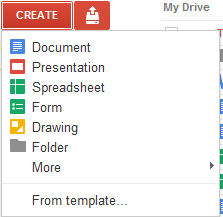
On top of this, a superb search function, from the world’s top search engine, means that looking for a specific file (out of potentially millions) could not be easier or more efficient.
In regards security, the ability to apply two-step verification, which requires a password and a code sent via text message to the account holder’s mobile phone, means that data is as safe as it would be in a vault.
Because of all this, choosing Google Drive as the main application for business is the smart move to make.
Xero
This complete application is accounting software that let you easily managing the financial information of your company online. The are many benefits of this system.
- Dashboard, where you can check your bank statements and sales in the same screen.
- Integration with the main online banks and Paypal to offer daily updates of the accounts.
- Create, send and follow up invoices of sales from mobile devices.
- Receive invoices from suppliers immediately to your account.
- Track the numbers in different currencies (applied extra charges if required).
- 24/7 online support.
The most interesting function of this business application is that it lets you simultaneously see all the company statements such us current balance, recent sales and next invoices on the same screen. It is also possible to manage all incoming and outgoing funds. On the other side, you can see a list of the most important clients and suppliers and track them immediately.
Xero is useful to keep control of the stock as well, with options for updating the products and the prices accurately.
The price of this application depends on the plan, but there are plans of approximately €18, €27 or €36 per month. This software is definitely a handy way to have better accounting with up to date financial information, that is easy to analyse and use. In their corporate blog you should find useful tips for making the best of the tool.
ProsperWorks

Evernote

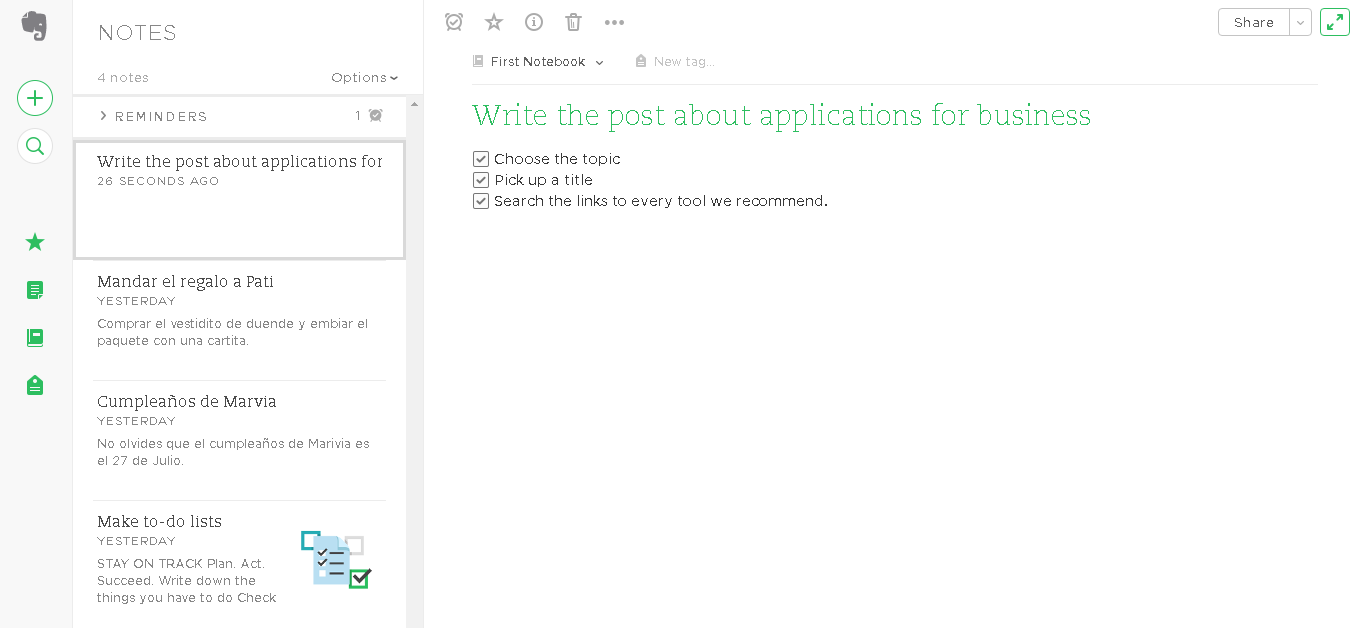
Evernote is an applications that lets you organise yourself and your business. This is made by archiving notes and almost all kinds of information. This is an excellent note pad that can store all types of data, files or images and share them with the rest of your team.
Imagine all the staff of a department is working on a project and people from different departments are supposed to bring in ideas. With Evernote, everybody can add images, pieces of relevant websites or blogs, schemes, videos or any other useful piece of information for the project and even include make-to-do lists.
Despite the simplicity of the idea, this tool is powerful as it lets you add any kind of file, even in the free version: Images in JPEG, PNG and GIF, MP3 and WAV audio files and PDF, HTML and TXT documents. All the information is saved in the cloud with a limit of 60Mb on the Free Version.
Every note can be named and tagged by topics and linked to keywords in order to make the notes easy to find. This functionality is really useful when there are hundred of notes created over a year.